How it works
Four steps, from the resume you already have to an application you can trace back to the exact version you sent.
Import the resume you already have
Upload your resume as a PDF or a Word file, up to 10 MB and 10 pages, or paste a Google Docs link. From a PDF, RoleFramework reads the text, fonts and positions, rebuilds the page as editable code, renders it again and compares the two line by line.
You see the original and the copy side by side, with one of three results:
- Exact
- The same pages, every line's text identical and within 1.5 points of where it was, with no substituted fonts.
- Faithful
- The same number of pages and no missing lines, every line within 2 points of where it was.
- Rebuilt
- The closest layout we could build. The differences are marked so you can decide.
Today: PDFs printed from a browser import Exact. In our tests, PDFs from Word, LaTeX or Typst came back Exact or Faithful on 13 October 2026, and two-column resumes with a sidebar or a divider on 14 October; others may come back Rebuilt. A Word file is measured against LibreOffice's rendering of it; our sample Word resume came back Exact on 14 October 2026. A scanned resume is read with text recognition and labelled Rebuilt from a scan. A Google Docs link works when the document is shared with anyone who has the link.
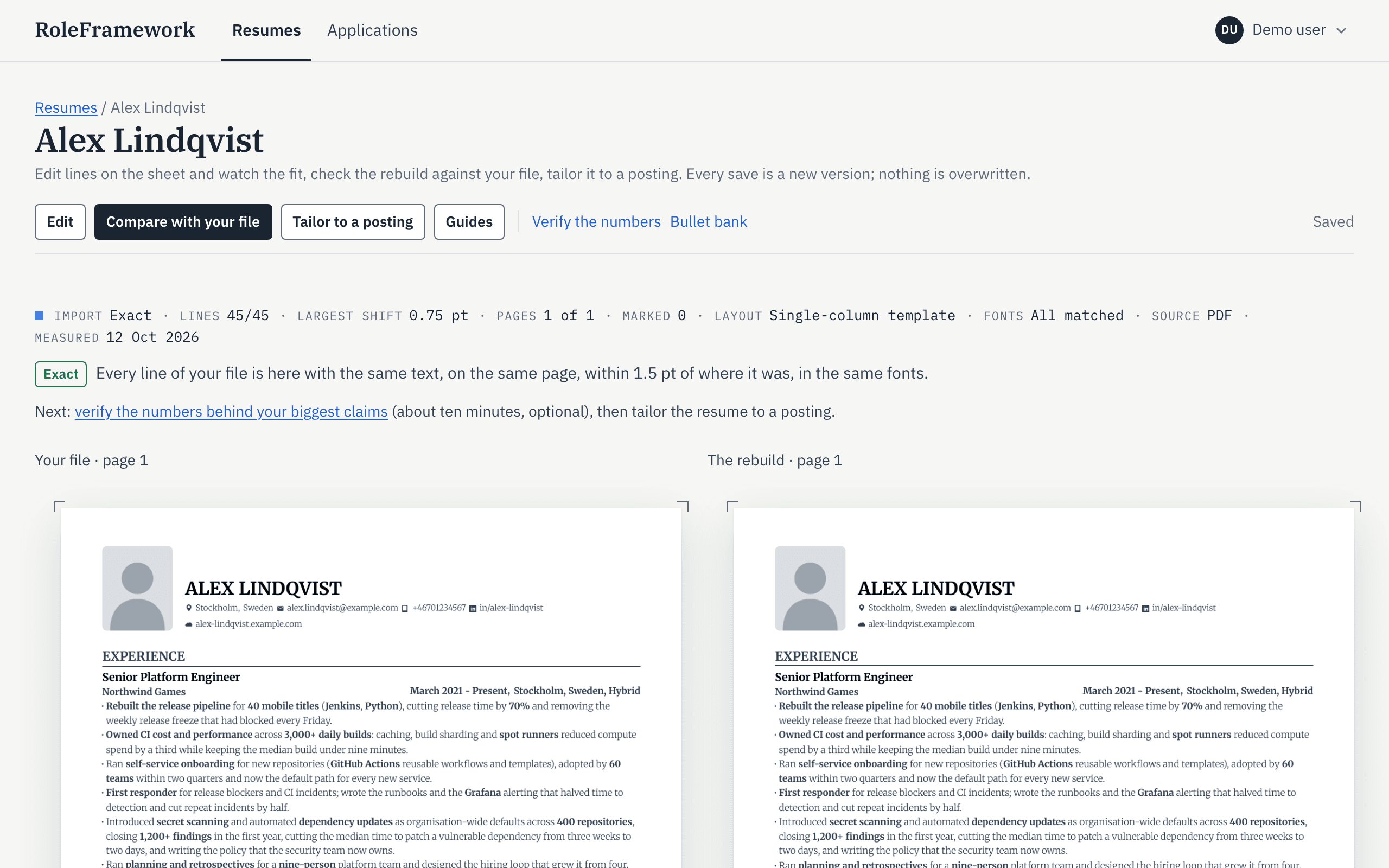
Original and copy side by side, measured. Confirm what is true
Before anything is rewritten, you answer short questions about the work behind your bullets: the numbers, the scope, what you did yourself. Each answer becomes a fact you can read.
A draft can use only facts you confirmed. If you skip a question, nothing is claimed from it.
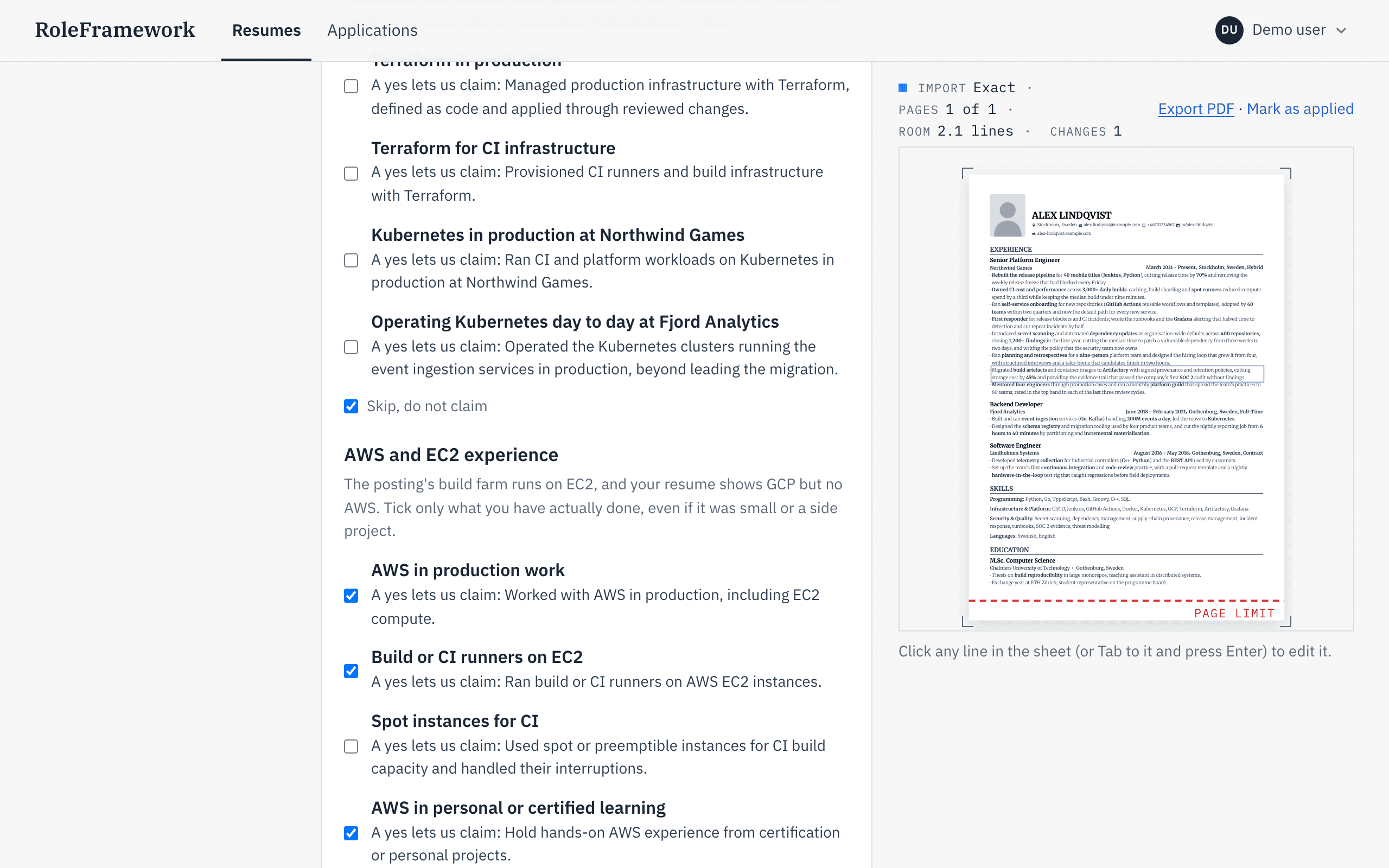
Tick what is true, or skip. Tailor to the posting
Paste a posting, or a link to it. First you get a fit rating with reasons, your level against the role and the languages it asks for, so you can decide whether to apply before you spend time writing.
Then you get a draft. Each changed line shows the facts that support it, and the page limit is drawn on the sheet so you can see what fits. You review every change before it becomes a version.
Drafts are written with the help of a language model. Your name, contact details, links and photo are removed before anything is sent to it.
Today: salary and interview research come from a web search, with each source listed and dated, and are labelled “Estimate” when nothing specific to the role is found. Postings in Swedish and English are read, and “Make a Swedish variant” or “Make an English variant” in the editor saves the version in the other language as a new version. LinkedIn job links are fetched when LinkedIn allows it; when it blocks the fetch, paste the text and the link stays attached.
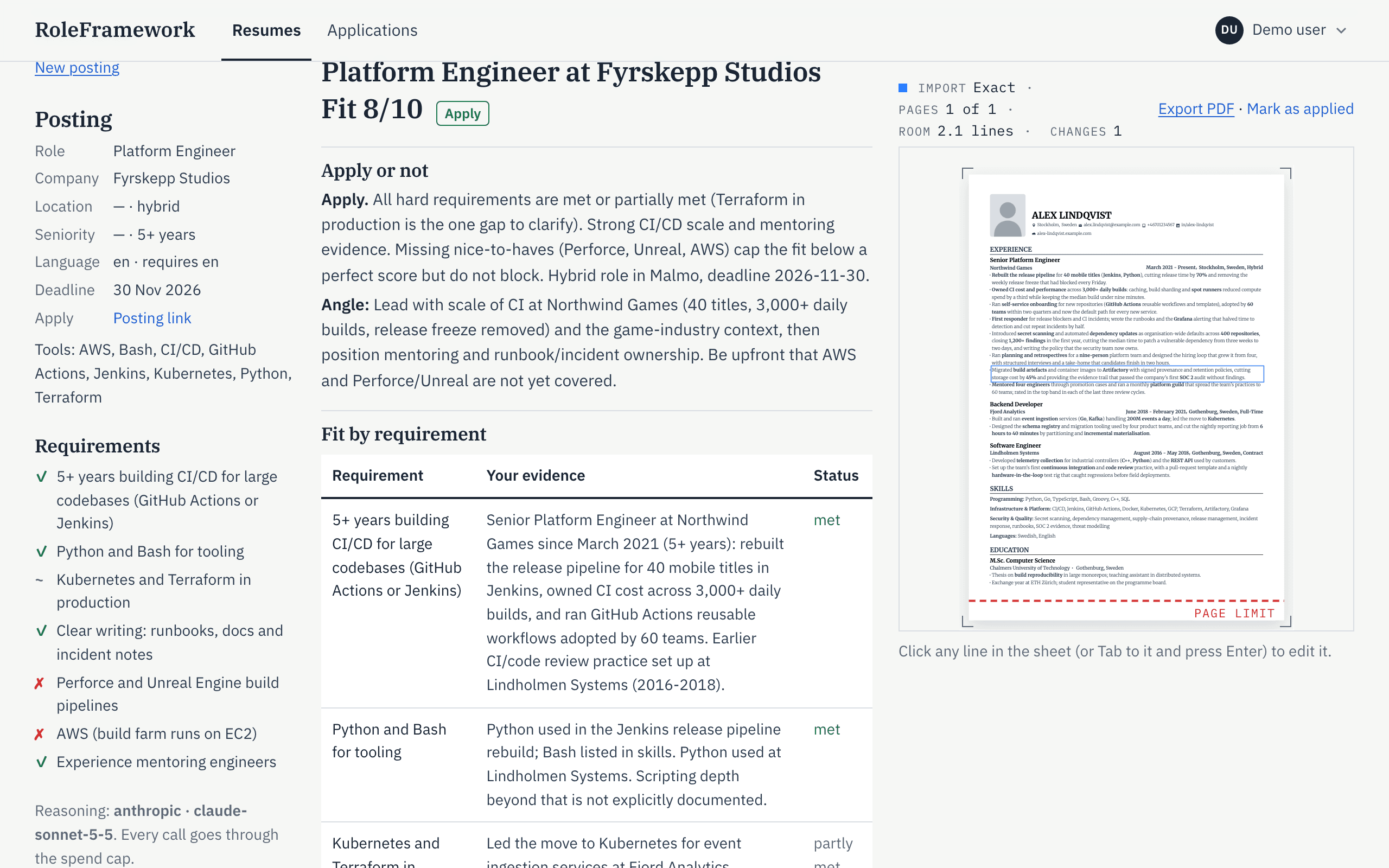
The fit rating comes first. 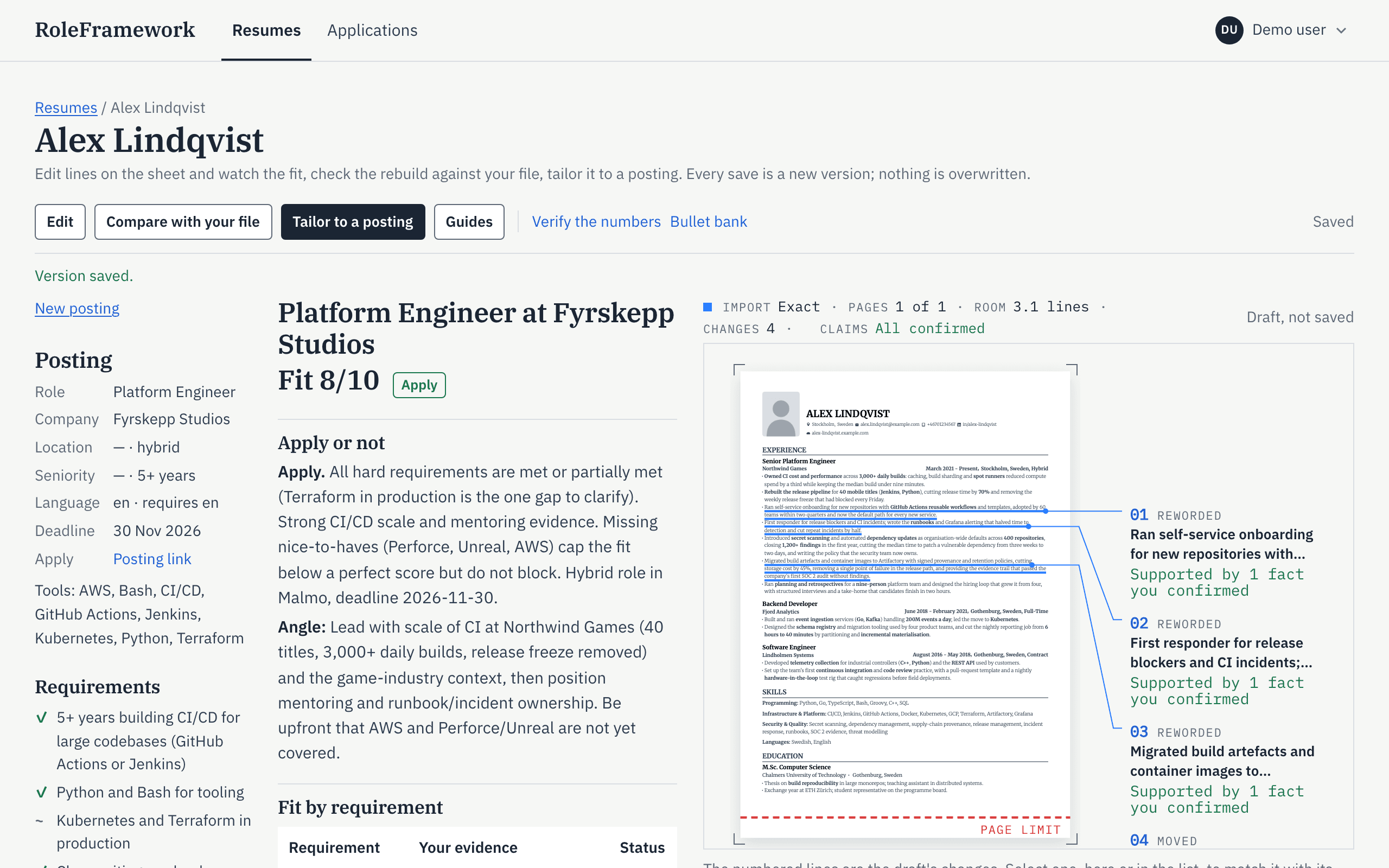
Each change shows the fact behind it, and the room left. Track the outcome
When you apply, mark it. The posting, the exact version you sent and each interview round stay together, and every application is on one page, grouped by stage.
Add reminders to an application: follow up, the application deadline, a thank-you note, preparing for the interview. Each application shows its next reminder.
Already keep a tracker in a spreadsheet? Import it as a CSV file, and export yours the same way.
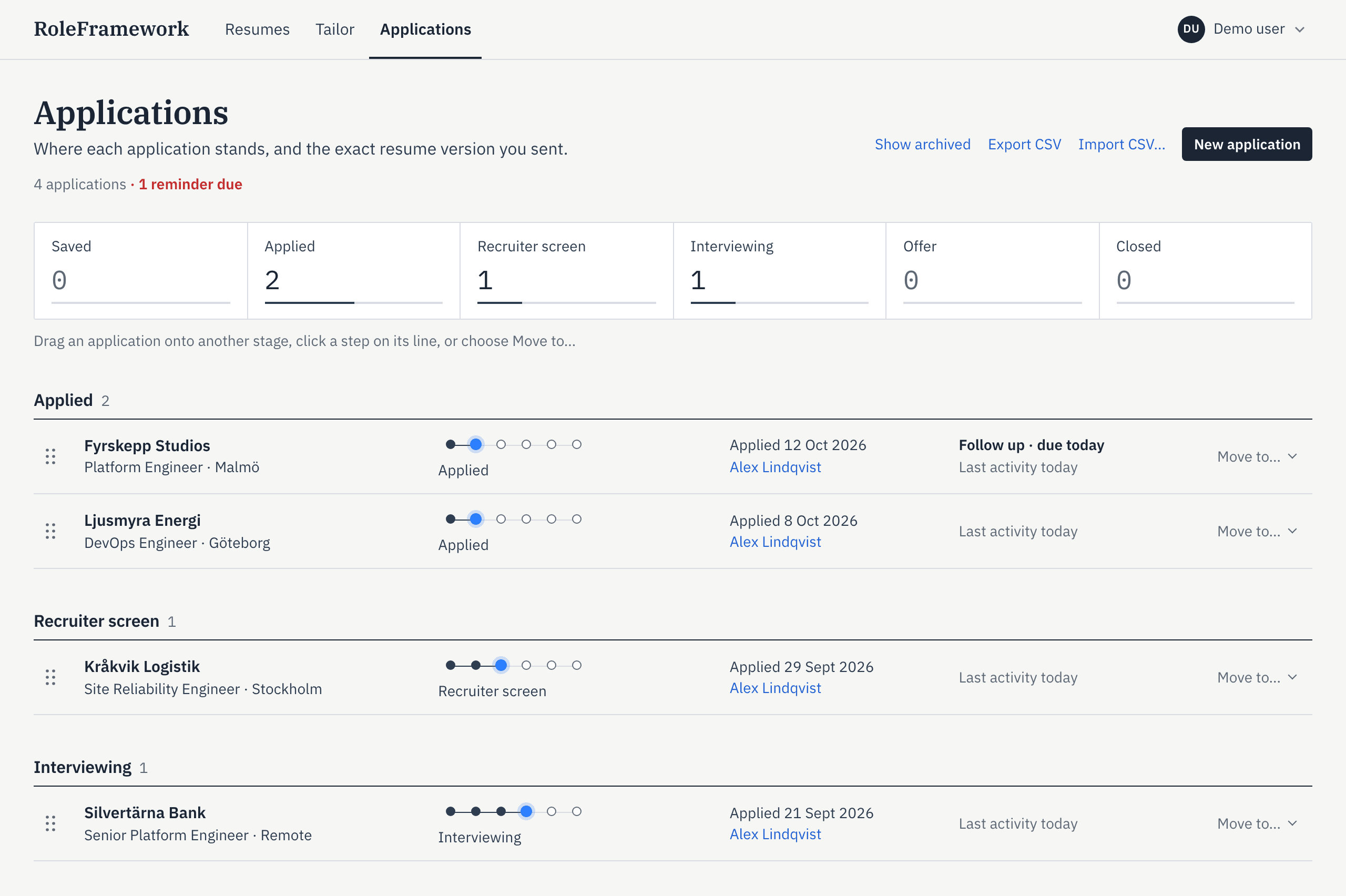
Applications by stage.
Before you export
Seven checks run before you export. If one fails, you see what is wrong and how to fix it, and you decide whether to export anyway.
Page count
The version has no more pages than the resume you imported.
Neutral file name
The file and its PDF title are named after you, with “Resume” (or “CV” for a Swedish resume), never after the company.
No company name
The company you are applying to is not named anywhere in the text.
No non-breaking spaces
Words stay separate when the text is copied or read by software.
Readable text
Every word software extracts from the PDF is visible on the page. No hidden text.
Claims confirmed
Every changed line has a receipt: a fact you confirmed.
Every line of your file
The import behind the version has every line of the file you uploaded. If some are missing, the check counts them and the compare view lists them.
ATS-friendly exports
PDF exports are text-based: every line is real, selectable text in embedded fonts, and icons are decorative. Reading order is kept column by column. The open-source PDF parsers poppler, PyMuPDF and pdfminer read them back as completely as the original, or better.
A Word export keeps your file's heading styles and reads back in order. A scanned resume has no text a parser can read; its export carries the recognised text as real text.
Tested on 20 October 2026 with 11 resumes: ten made in a browser, Word, LaTeX, Typst or Pages, and one scan. Each was exported as imported, and again in the layout a tailored version uses, with three edits on all but one. PyMuPDF and pdfminer found every word of every export, and poppler as many as in the original or more. We tested these parsers, not any applicant tracking system itself, so there is no ATS score.
Start with the resume you already have.
Free during the beta, then a paid subscription. No payment details are asked, and you hear the price before the beta ends.